 How-to
Tracking Costs for Matched Pallet Inventory: A Practical Guide
Last Updated: November 24, 2026
Quick Summary
Tracking costs for matched pallet inventory means keeping a cost ledger that records the full purchase cost of your original pallet, the share of that cost assigned to each item, and any cash or goods exchanged at a meetup. Use one tab per pallet, a summary tab, and identical columns so totals reconcile to what you actually paid.
- Record the total pallet cost on the day you buy, including purchase price, fees, and pickup.
- Assign each item a lot share and allocated cost, then keep that method consistent across every exchange.
- Log cash paid or received at each meetup as a separate entry on the affected items.
- Keep missing, damaged, and scrap items in your records with their allocated cost rather than deleting them.
- Reconcile quantities and costs at least monthly and after every meetup, and keep an adjustments log.
Table of Contents
- Why Matched Pallet Inventory Needs Its Own Cost Records
- Start With the Purchase Cost of the Whole Pallet
- Building an Inventory Cost Tracking Spreadsheet
- Inventory Cost Calculation for Split Pallets
- Shared Inventory Expense Tracking When You Meet in Person
- Reconciling Inventory Records for Small Businesses
- Set Up Your Cost Records Before Your Next Pallet Match
- Frequently Asked Questions
Why Matched Pallet Inventory Needs Its Own Cost Records
Tracking costs for matched pallet inventory is harder than tracking costs for a single pallet you bought and kept. When you split a lot with another reseller, part of the stock leaves your hands and part of someone else's stock comes in.
Matched inventory means two individual resellers each hold part of a set and trade pieces so both can sell complete or near-complete items. Each side needs its own cost ledger. That ledger should show the purchase cost of the whole pallet, the share you took, and what you paid or received in exchange.
- Know the total you paid for the original pallet
- Record which items came to you and which left
- Note any cash, goods, or fees exchanged at the meetup
- Keep one running total you can check at any time
Start With the Purchase Cost of the Whole Pallet
Every cost record starts with what you paid for the full pallet. Our profit margin steps for matched pallet sets walk through the full calculation from cost basis to a fair split with a local reseller. Include the purchase price, any buyer's fee, and the cost of getting the pallet to your space.
Use a simple table to hold these figures:
| Cost Item | Amount Paid | Date | Receipt Saved? |
|---|---|---|---|
| Pallet purchase price | Enter total | Enter date | Yes or No |
| Buyer's or platform fee | Enter total | Enter date | Yes or No |
| Pickup or transport | Enter total | Enter date | Yes or No |
| Total pallet cost | Add above |
Once you have the total pallet cost, you know the number you need to divide later. Keep this figure fixed. Do not change it after the meetup, or your margins will look better or worse than they really are.
Building an Inventory Cost Tracking Spreadsheet
A spreadsheet is the easiest way to track costs by item, and the difference between a useful one and a useless one is whether it forces you to allocate the whole pallet cost down to individual items. Set up one tab for the original pallet, one tab for each matched exchange, and one summary tab that pulls the totals together. For a practical method to track pallet inventory by item, see our guide to labeling each piece and verifying contents before a match. Keep the column layout identical across every tab so the summary formulas never break.
Use these columns on every item tab:
- Item ID: A short code you write on the box or label, such as
P1-014for pallet 1, item 14 - Description: What the item is, such as "cordless drill, no battery"
- Lot share: The percentage of the pallet cost assigned to this item under your chosen method
- Allocated cost: The lot share multiplied by the total pallet cost
- Status: In stock, sold, traded out, traded in, missing, damaged, or scrap
- Cash in or out: Any cash you paid or received for this item at a meetup
- Net cost basis: Allocated cost plus cash paid minus cash received
- Sale or trade value: What you actually got for it
- Notes: Condition, who you matched with, and the date
The formulas that do the work
Assume the total pallet cost sits in cell B2 on the pallet tab and each item's lot share is in column C starting at row 5. The allocated cost formula for the first item is =C5*$B$2, and you copy it down. The net cost basis formula is =D5+G5-H5 if allocated cost, cash paid, and cash received are in those columns. On the summary tab, total remaining inventory value is =SUMIF(Status_range,"In stock",Net_cost_basis_range), and total realized cost of goods sold is the same formula with "Sold" in place of "In stock".
A worked example
Suppose you buy a pallet for a total cost of 400 after fees and pickup, and it holds 40 items. Maintaining this level of granular accounting becomes significantly more complex when managing inventory sync between platforms across multiple digital storefronts.
Watch out: if you change the total pallet cost in B2 after a meetup, every allocated cost and every prior sale's margin shifts retroactively, so lock that cell and record any later cost correction as a separate adjustment row instead.
Inventory Cost Calculation for Split Pallets
Split pallets need a clear method for dividing cost. The simplest approach is a per-item share based on count or on estimated value. Pick one method and use it for every exchange so your records stay consistent. If you are splitting a lot, these step-by-step strategies for recovering value from partial inventory show how to monetize the stock that is left over.
Allocating Cost Across Items You Receive
When you receive items from another reseller, you also need a cost basis for them. Many resellers assign these items a cost based on what they paid in the trade, or on the agreed value at the meetup. Write the method in your notes so you can explain it later.
A common, easy method works like this:
- Add the total cost of the pallet you contributed
- Divide that cost by the number of items on that side
- Assign the result as the cost for each item you keep
- Record any cash you paid to balance the exchange as an extra cost on the items you received
The math is simple, but the record matters more. A clear note of your method protects you if the other reseller asks how a number was reached.
Handling Missing, Damaged, and Unsellable Items
Not every item will arrive in the condition listed. Some are missing, damaged, or cannot be sold at all. These still carry cost, so do not drop them from your records. Mark them with a status such as "missing," "damaged," or "scrap," and keep their allocated cost in the total. This keeps your ledger honest and shows you where losses came from.
Shared Inventory Expense Tracking When You Meet in Person
Most matched exchanges happen face to face, so expenses often happen on the spot. You may pay for gas, a parking fee, or a shared storage charge. Record each of these with the date, the amount, and who paid.
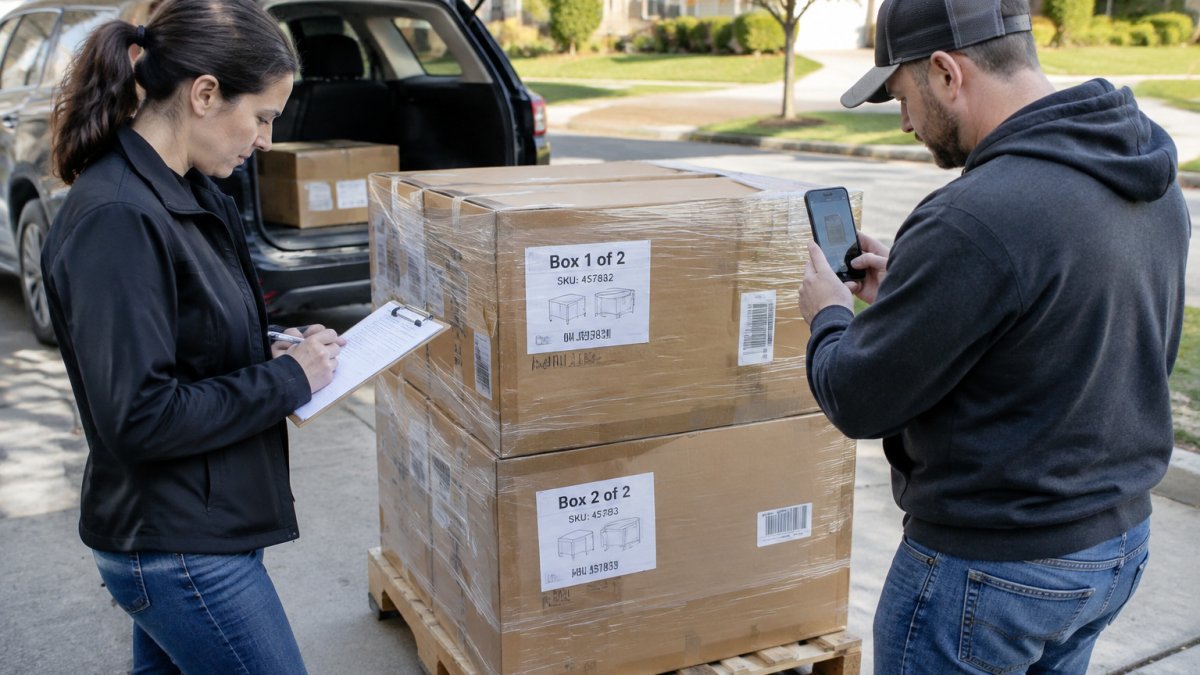
Ask the other reseller to confirm the total in writing before you both leave. A quick text or a signed note with the item list, the amounts exchanged, and the date is enough. Take a photo of each side's items as well. Our guide to documenting pallet condition at handoff covers inspection checks, photos, and a signed record both resellers can keep.
Reconciling Inventory Records for Small Businesses
Reconciliation means checking two things, not one: that the items you can physically see match your spreadsheet, and that the costs in your spreadsheet add up to what you actually paid. Most resellers only do the first and then wonder why their margins never match their bank account. Do a full reconciliation at least once a month and after every meetup.
Step 1: Reconcile quantities
- Match each item ID to a physical box or label, and mark anything you cannot find as missing rather than deleting the row
- Compare the count of items marked "in stock" with what you can see on the shelf
- Confirm that sold and traded-out items no longer show as on hand, and that traded-in items appear with their net cost basis
- Flag any difference and note the likely cause, such as a miscount at the meetup or an item sold without a status update
Step 2: Reconcile costs
This is the step that makes your inventory valuation auditable. Pull three totals from your spreadsheet: remaining inventory value (items still in stock), cost of goods sold (items sold), and cost of items traded out. Add any cash you received and subtract any cash you paid at meetups. That figure should equal the total pallet cost you recorded at purchase, plus any later cost adjustments.
Step 3: Document discrepancies and write-offs
Missing, damaged, and unsellable items still carry cost, so never delete them. Change their status to missing, damaged, or scrap, keep the allocated cost in the row, and add a note with the date and cause. If an item has salvage value, record what you recovered against its net cost basis so the loss is visible rather than hidden. If a quantity discrepancy turns out to be a counting error, correct the count and note the correction date so the audit trail shows why the number changed.
Step 4: Keep an audit trail
Every change to a reconciled row should have a date and a reason in the notes column. A common pattern among small resellers is to keep a separate "adjustments" tab that logs each correction as a new row rather than overwriting the original, which lets you reconstruct any past valuation. Keep your meetup texts, photos, and signed notes alongside the spreadsheet so a trading partner or an accountant can trace any figure back to a source document.
IRS guidance on inventory valuation and cost of goods sold for small businesses
Set Up Your Cost Records Before Your Next Pallet Match
Start building your records before the next exchange, not after. Create the spreadsheet, add the total cost of your current pallet, and agree on a cost method with your trading partner. Then label your items as you unpack them.
Find The Other Box is built for individual resellers who need to complete partial sets, and clear records make those matches fair for both sides. If you have a set you want to finish, you can start matching for free and bring your cost numbers to the meetup.
Frequently Asked Questions
How do you calculate the cost of inventory across matched pallets?
Start with the total price you paid for the full pallet, including any fees you covered. Then divide that total across the items you expect to sell, using a consistent basis such as unit count or estimated retail value. Record the method you used so both sides of the exchange can check the numbers. When you receive your matched items, your cost per unit should be applied only to the units you actually took, which keeps your inventory cost accurate for the sets you complete and the ones you pass along.
What costs should resellers track when combining partial pallet inventory?
Track the purchase price of the pallet, any transport or pickup costs, fuel for in-person meetups, storage fees, and any cleaning or repair expenses. Note the date of each cost and which items it applies to. If you pay a share of a partner's cost, log that payment separately with the other reseller's name and the pallet reference. Keeping these costs itemized makes it much easier to calculate your true cost per unit when the set is complete.
How should two resellers divide costs when completing a product set?
Agree on the split before you meet. A common approach is to divide costs in proportion to the items each person contributes, weighted by estimated value if the items differ widely in price. Write the agreement down, including who covers transport and what happens to unsellable items. Both parties should record the agreed amounts in their own cost sheet, and each should initial or confirm the figures at the exchange so the records match.
How can a spreadsheet help track matched pallet inventory?
A spreadsheet gives you one place to log each pallet, its total cost, the units you received, the units you sold, and the units still on hand. Use separate tabs for purchases, exchanges, and sales, and link them with a pallet ID column. Simple formulas for cost per unit and remaining stock value keep the numbers current. Reviewing the sheet after every exchange catches mismatches early, before they carry into your tax records or your next purchase decision.