 How-to
Labeling and Storing Pallet Items: A Practical System
Last Updated: November 21, 2026
Quick Summary
Labeling and storing pallet items efficiently means writing a unique ID, contents, quantity, missing pieces and location on every pallet the day it arrives. Keep one spreadsheet row per pallet, sort it by date received, and reserve and confirm each pallet's details before an in-person exchange.
- Photograph each pallet and count every box before moving it.
- Write "none" in the missing pieces field for complete sets.
- Sort your sheet by date received so the oldest pallets go out first.
- Add a lot code column to trace issues across pallets from one source.
- Walk your racks monthly to confirm locations and statuses match the sheet.
Table of Contents
- Why Pallet Items Get Lost and Stalled
- Choosing a Pallet Label Template in Excel
- Step-by-Step: Labeling Pallet Items for Fast Retrieval
- Warehouse Rack Labeling Ideas for Small Spaces
- Pallet Inventory Management Without a Warehouse System
- Organizing Liquidation Inventory for Partial Set Matching
- Setting Up Your First Storage Routine for Matching Sets
- Frequently Asked Questions
Labeling and storing pallet items efficiently is the difference between a matched set you can sell and a pile of stranded stock you cannot find. For individual resellers, that gap shows up fast when another buyer is coming to meet you and you cannot say what is on your pallet. This guide walks through a practical labeling and storage system built for solo buyers who trade partial sets in person.
Most pallet losses start with a simple problem: nobody wrote down what was on the pallet. A pallet that arrives unlabeled gets pushed into a corner, and within weeks it becomes hard to tell which items came from which lot. Good labels fix that. They tell you what is there, how many pieces you have, and what is still missing from the set.
Why Pallet Items Get Lost and Stalled
Pallet items usually stall for three reasons: no record of contents, no clear location, and no way to see what a matching partner needs. When one of these breaks down, the pallet sits. It takes up space you pay for, and it delays the sale.
- Items get mixed with other lots during unloading
- Boxes lose their original packing slip
- Nobody remembers which pallet holds the missing piece
- A partner asks for a specific item and you have to dig through everything
A simple label on every pallet and every bin solves most of these problems before they start.
Choosing a Pallet Label Template in Excel
Most guides tell you to "use a template" and stop there. For a solo reseller matching partial sets in person, the template itself is the system, so here is a usable one you can build in a single spreadsheet tab and print on standard adhesive label sheets.
Set up one row per pallet or bin, with these columns in this order. Keeping the order fixed means every label reads the same way, which matters when you are standing in front of a partner comparing two pallets side by side.
- Pallet ID, a unique code, for example P-014 or R2-S3-P01 (row 2, shelf 3, pallet 1). Never reuse an ID, even after a pallet sells.
- Set name, the product or set family, in plain words (for example "Trail Gear Set, 3-box").
- Box position, which piece of the set this pallet holds, written as "Box 1 of 3" so a partner can match instantly.
- Quantity, the count of pieces on this pallet, not the count of the full set.
- Missing pieces, the specific box numbers or item names still needed to complete the set. This is the field partners care about most.
- Condition, new, open-box, or damaged, with a short note if damaged.
- Date received, the day the pallet entered your storage, so you can apply rotation rules later.
- Location, the aisle, rack, and shelf code where the pallet sits.
- Status, available, reserved for a meetup, or sold.
Print the label with the Pallet ID, Set name, Box position, Quantity, and Missing pieces in large type, and the remaining fields in smaller type below.
A template only helps if you fill it in the same way every time. Pick one layout and keep it. Changing your format halfway through makes old and new labels hard to compare, and it breaks the sort order in your spreadsheet.
Watch out: if you leave the Missing pieces field blank when a set is incomplete, the label can wrongly suggest the set is whole, always write "none" for complete sets so a blank field is never ambiguous.
Step-by-Step: Labeling Pallet Items for Fast Retrieval
Follow these steps when a new pallet arrives:
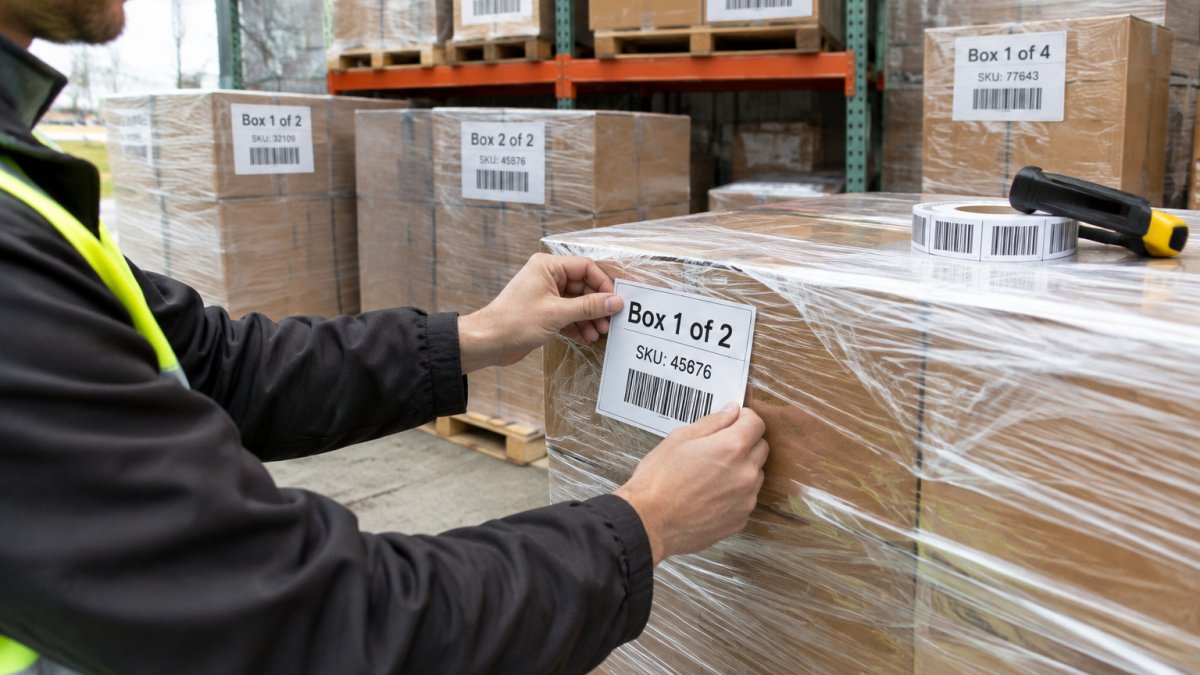
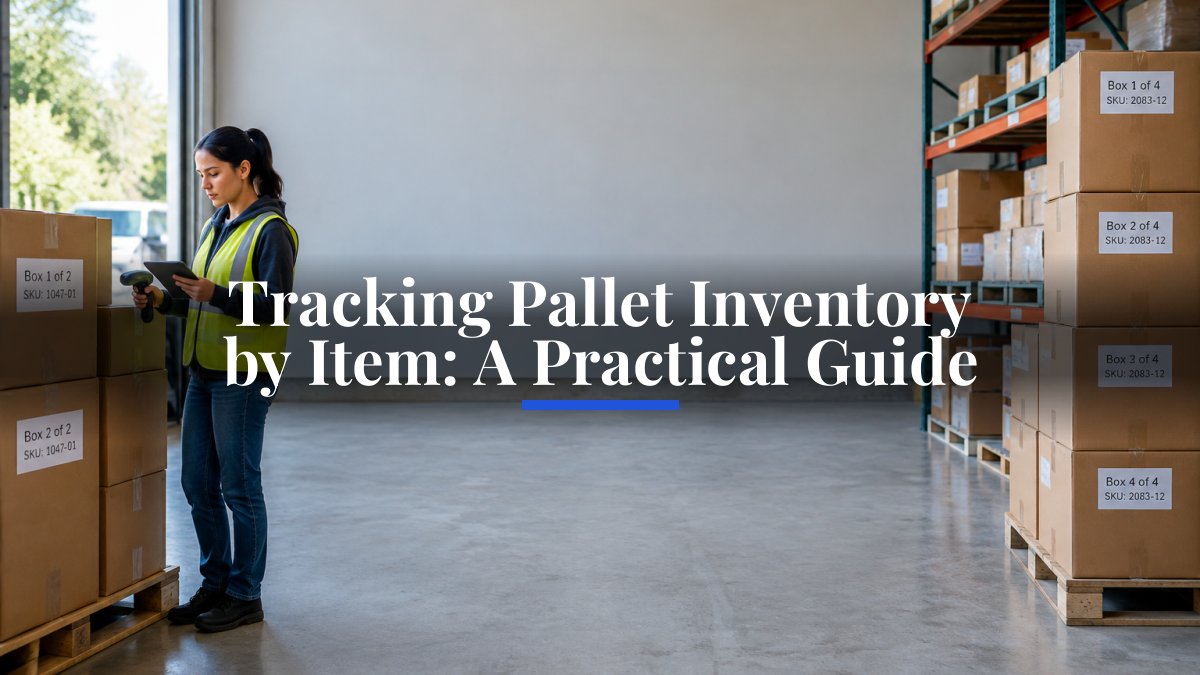
- Photograph the pallet before you move it
- Count every box or item and write the total down
- Note the source lot and the date received
- Print one label with the required fields
- Attach the label to the front face of the pallet, where it is easy to read
- Add the same information to your spreadsheet
Doing this on day one saves hours later. Labeling after the pallet is already stacked and wrapped is far slower and more error-prone.
Required Data Fields on Every Label
Every label should carry the same core fields:
- Pallet or bin ID: A unique number, such as P-014
- Item description: What the items are, in plain words
- Quantity: How many pieces are on the pallet
- Set status: Whether it is complete, or which piece is missing (for example, "Box 1 of 2")
- Date received: So you know how long it has been in storage
- Storage location: The aisle, rack, or shelf where it sits
Keep the set status field accurate. It is the field that helps a matching partner decide if your pallet fits what they need.
Placement and Visibility
A label is only useful if you can read it from where you stand. Place labels at roughly eye level, on the same face of every pallet. Use a bold font and a clear background. Avoid placing labels where wrap, straps, or other pallets cover them. Consistent, visible labels also make it easier to spot handling errors before they become costly, a concern shared by Kicks and Deals.
If you store pallets two or three high, put a second label on the top face too. That way you can read the ID without moving anything.
Warehouse Rack Labeling Ideas for Small Spaces
Small storage spaces need simple, clear systems. A few ideas work well for solo resellers:
- Number each shelf or rack level from the floor up
- Use one color for each rack row so you can spot it quickly
- Tape a small card to the shelf edge with the pallet IDs stored there
- Keep an index sheet by the door showing where each row begins
Even a few labeled shelves beat a stack of unmarked boxes.
Pallet Inventory Management Without a Warehouse System
You do not need a full warehouse management system to track pallets, but you do need rules for rotation, traceability, and the handoff at an in-person meetup. If your spreadsheet stops working, you can review reseller inventory software options for tracking partial sets and stock locations.
Rotation rules (FIFO and FEFO). Sort your sheet by Date received so the oldest pallets surface first. When a partner asks for a set, pull from the oldest matching pallet before newer stock, first in, first out. If any items carry an expiry or best-by date, add an Expiry column and apply first-expired, first-out instead: the pallet with the nearest expiry goes out first regardless of receipt date.
Lot traceability. Add a Lot or Batch column and copy the lot code from the original packing slip onto the label. If a partner later reports a problem with a piece, the lot code tells you which other pallets came from the same source, so you can flag them before another meetup. Without a lot field, a recall or quality issue becomes a guessing game across every pallet you hold.
System integration, kept simple. If you use a handheld barcode scanner, encode the Pallet ID as a Code 128 barcode on the label and scan it into your sheet instead of typing. The scanner writes the ID into the row, and your sheet's lookup formulas pull the rest.
The in-person exchange. Before a meetup, change the pallet's Status to "reserved" and note the partner's name and the meeting date in a Notes column. At the exchange, open the sheet on your phone, scan or read the Pallet ID, and confirm the Box position and Missing pieces against what the partner expects.
Check the sheet against your actual storage once a month. Walk the racks, scan or read each Pallet ID, and confirm the Location and Status match. Small mismatches add up, and a quick walk through the space catches them before a partner does.
The key rules and fields for tracking pallets without a warehouse system, as covered above:
| Practice | What it does | Where it appears |
|---|---|---|
| Rotation (FIFO) | Sort by Date received; pull oldest matching pallet first | Sorting the sheet |
| FEFO rule | Expiry column; nearest expiry goes out first | Items with expiry dates |
| Lot traceability | Lot or Batch column copied from packing slip | Flagging issues across pallets |
| Barcode scanning | Code 128 Pallet ID scanned into the sheet | Handheld scanner setup |
| Reserve before meetup | Status set to reserved, partner and date in Notes | Before the in-person exchange |
| Retire sold IDs | Remaining pieces get a new Pallet ID after handoff | After the exchange |
| Monthly audit | Walk racks, confirm Location and Status match | Routine check |
Organizing Liquidation Inventory for Partial Set Matching
Partial sets are the core of trading on Find The Other Box. Keep each set's pieces grouped together and clearly marked. When you list a partial set, your label should show exactly which piece you hold and which piece you need. A reseller looking for "Box 2 of 3" should find that information on your pallet without guessing.
Group pieces of the same set on one shelf when you can. Put a note on the shelf with the set name and the missing pieces.
Setting Up Your First Storage Routine for Matching Sets
A routine keeps your system working. Set aside a short time each week to:
- Label any new pallets that came in
- Update your spreadsheet with any items that moved or sold
- Check that the set status on each label is still correct
- Note which sets need pieces you do not have yet
Before you meet another reseller in person, confirm the contents of your pallet against your record. Bring a printed copy of the pallet's details so both sides can check the items together. A written record protects both buyers and keeps the exchange smooth.
Start matching for free at Find The Other Box.
Frequently Asked Questions
What information should a pallet label include?
A useful pallet label carries the minimum data needed to find and identify the item without opening the wrap. Include a unique pallet or location ID, a short item description, the quantity or box count such as Box 1 of 2, the source lot or return batch, and the date received. Add the storage location code if you use shelving. Keep the same field order on every label so anyone who handles the stock can read it at a glance. If you plan to match the set with another reseller, note which piece is missing so the match is quick to confirm when you meet in person.
How do you label pallets so inventory is easy to find?
Assign each storage position a fixed code, then print a label for every pallet that shows that code in large type. Place labels at eye level on the same face of each pallet so you never have to search for them. Use one label per pallet and one per box when a pallet holds partial sets. Color-code by category if your stock varies widely. Review labels weekly and replace any that have faded or peeled, since a label you cannot read saves no time.
What is the best way to organize pallet inventory in a small space?
Group pallets by set rather than by source, so every piece of a partial set sits together and is easy to match. Store the heaviest pallets on the lowest level and keep aisles clear enough to reach each label. Keep a simple spreadsheet that lists each location code next to the set it holds and the pieces still needed. Move pallets that sell or match first to the front, so your most active stock is the easiest to retrieve when a buyer arrives.
How can resellers keep matching items together?
Tie each partial set to one set ID and print that ID on every box and pallet in the set. Record which box numbers you have and which you need, for example Box 2 of 3 is missing. When another reseller contacts you, check the set ID instead of searching the whole storage area. Before a meetup, confirm the exact box count and condition in writing so both sides know what changes hands.