 how-to
How to Test Returned Electronics for Resale: 2026 Guide
Last Updated: October 23, 2026
Quick Summary
To test returned electronics for resale, photograph the box and labels, record the serial number, check contents against the packing slip, and complete a visual inspection before any power-on test. Then run device-specific function tests, reproduce any customer-reported fault, and apply fixed pass/fail grading criteria to every unit.
- Set up a test bench with good light, a notepad, a marker, and a bin for accessories.
- A swollen battery is a safety issue, not a cosmetic one, so isolate that unit immediately.
- Match the test to the device, since phones, laptops, and consoles each fail in different ways.
- Do a full factory reset and confirm the previous owner's data is gone before listing.
- Keep records for every unit: serial number, test results, grade, wipe confirmation, and photos.
Table of Contents
- Why Testing Returned Electronics Matters for Individual Pallet Buyers
- The Electronics Inspection Checklist for Resellers: First Steps After Unboxing
- Testing Used Electronics Before Resale: Device-Specific Function Tests
- How to Grade Used Electronics for Resale With Pass/Fail Criteria
- Handling Missing Accessories for Resale Electronics and Incomplete Sets
- Safety, Data Wiping, and Documentation Before You List
- Repair, Resell, or Recycle: A Decision Framework for Failed Items
- Frequently Asked Questions
Why Testing Returned Electronics Matters for Individual Pallet Buyers
Testing returned electronics is the step that decides whether your pallet buy makes money or eats your storage space. At Find The Other Box, we hear the same story from resellers again and again: the box looked fine, the unit powered on, and then the buyer found the crack, the missing cable, or the fault the original customer reported and nobody checked.
Here is the core tension. When you buy a return pallet, you are not buying tested stock. You are buying someone else's problem, bundled and shrink-wrapped. The previous owner sent it back for a reason. Your job is to find that reason before you list the item, not after a buyer opens a case against you.
Below, we walk through a practical electronics inspection checklist for resellers, device-by-device function tests, pass/fail grading, and how to handle the missing pieces that make so many returned sets unsellable. The difference between a profitable pallet and a stranded one usually comes down to 20 minutes of testing per unit.
The Electronics Inspection Checklist for Resellers: First Steps After Unboxing
Start every unit with a clean intake inspection before you test anything. A common mistake is jumping straight to the power button. That skips the visual evidence that tells you whether the item is worth testing at all.
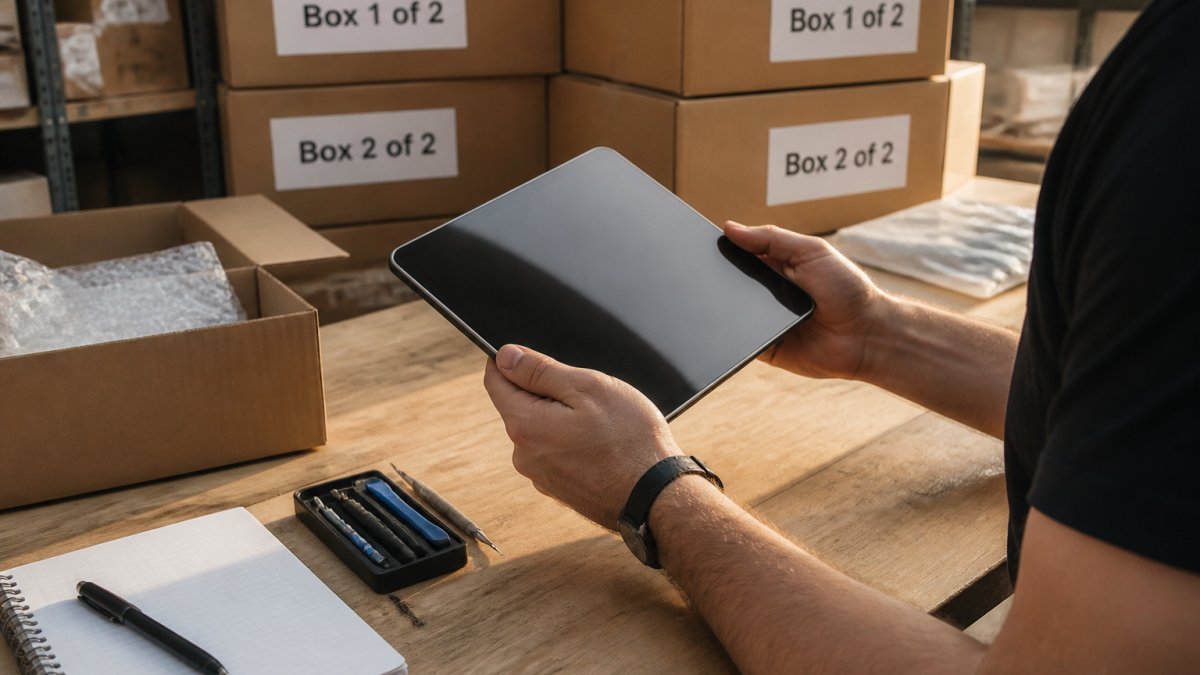
Work through these first steps in order:
- Photograph the box and its labels before opening.
- Record the serial number and match it to the packing slip.
- Note every item in the box against the expected contents.
- Set accessories aside in a labeled bag.
- Do the visual inspection before any power-on test.
That last point matters. Documenting the serial number and contents protects you in a dispute later. If the item is incomplete or damaged, you want proof it arrived that way.
Visual Inspection: Cosmetic Condition and Damage Signs
Visual inspection is where you catch the problems that a power-on test will never show. Check the screen, casing, ports, and seams under strong light. Look for cracks, deep scratches, dents, liquid damage, and swollen batteries. A swollen battery is a safety issue, not a cosmetic one. Stop and isolate that unit.
Grade cosmetic condition honestly. Buyers on marketplaces expect accurate photos and descriptions. A device graded "good" that arrives with a cracked corner is a return waiting to happen. Note scuffs and wear that affect how you price and describe the item.
Power-On and Basic Functionality Checks
The power-on test confirms the device boots, but it is only a start. Plug in the charger and confirm the unit charges. Watch for a screen that flickers, a fan that runs loud, or a device that shuts down under load. Those are signs of a deeper fault.
Run a basic function test on every unit:
- Does it power on and stay on?
- Does it charge and hold a charge?
- Do the ports and buttons respond?
- Does it connect to Wi-Fi or Bluetooth?
- Is there any unusual heat or noise?
If a unit fails the power-on test, do not assume it is scrap. Note the failure and move it to the fault-verification stage. Some items just need a charger or a reset.
Testing Used Electronics Before Resale: Device-Specific Function Tests
Testing used electronics before resale means matching the test to the device. A phone, a laptop, and a games console each fail in different ways. Build a short test protocol for each category you buy. The goal is a repeatable function test, not a guess.
Use this device-by-device checklist as a starting point:
| Device | Key Tests | Common Failure Signs |
|---|---|---|
| Smartphone | Touch, camera, speakers, charging port, call audio | Dead touch zones, blurry camera, weak speaker |
| Laptop | Keyboard, trackpad, hinge, battery, all ports | Sticky keys, loose hinge, port not charging |
| Tablet | Touch, screen brightness, charging, buttons | Dead spots, dim screen, stuck power button |
| Games console | Disc drive, controller pairing, HDMI output, fan | Disc read errors, overheating, no signal |
| Headphones | Both drivers, mic, Bluetooth pairing | One side dead, muffled audio, no pairing |
| Smartwatch | Screen, heart-rate sensor, charging, straps | Dim display, sensor error, won't charge |
Test each function once and record pass or fail. This gives you a repeatable standard and a record for every unit.
Verifying the Customer-Reported Fault
Many returns come with a customer-reported fault. Do not take it at face value, and do not ignore it. The customer may have described the wrong problem, or the fault may not reproduce.
Try to reproduce the reported issue under the same conditions the customer described. If the device was said to overheat during gaming, run it under load. If it was said to have a dead speaker, play audio on both channels. If the fault does not appear, note that. A misdiagnosed item that actually works is a win, but only if you can prove it.
How to Grade Used Electronics for Resale With Pass/Fail Criteria
Grading is where opinions creep in and disputes start. Fix that with pass/fail criteria you apply the same way every time. A device grade should reflect both cosmetic condition and functional condition, kept separate so buyers know exactly what they are getting.
Use a simple two-part grade:
- Cosmetic grade: mint, good, fair, or poor, based on visible wear.
- Functional grade: fully working, minor fault, or faulty.
A device can be cosmetically poor but fully working. Say so clearly. A device that is cosmetically mint but has a minor fault must be listed as faulty. Never let a clean case hide a real problem.
Set your thresholds in advance. For example, "fully working" means it passes every test on your protocol with no exceptions. "Minor fault" means one non-core function fails, like a single dead speaker.
Handling Missing Accessories for Resale Electronics and Incomplete Sets
Missing accessories for resale electronics sink more deals than any other issue.
The completeness check should happen at intake, not at listing. Confirm every accessory against the expected contents:
- Power adapter and cable
- Controllers, remotes, or styluses
- Manuals and setup cards
- Mounting hardware and screws
- Original packaging and inserts
- All boxes in a multi-box set
When something is missing, you have two choices. Sell the item as incomplete at a lower grade, or find the missing piece and complete the set. For multi-box items, the second option is often the better one.
This is exactly the problem Find The Other Box was built to solve. Our matching engine connects resellers holding partial sets, like "Box 1 of 2" or "Box 2 of 3", with the people who have the missing pieces.
Safety, Data Wiping, and Documentation Before You List
Data wipe and privacy protection are non-negotiable before any used device is listed. Returned electronics can carry the previous owner's accounts, photos, and personal data. Wiping the device protects them and protects you from a serious complaint.
Do a full factory reset and confirm the data is gone. Remove accounts and sign out of any cloud services.
Safety comes first with damaged units. For recycling and disposal guidance, refer to the WEEE Directive on waste electrical and electronic equipment and your local authority's rules.
Keep records for every unit: serial number, test results, grade, wipe confirmation, and photos. Good documentation prevents disputes and makes inventory tracking simple.
Repair, Resell, or Recycle: A Decision Framework for Failed Items
Every failed item needs a fast, repeatable decision. Use this framework so you are not agonizing over each unit:
- Resell as fully working: passes all tests, cosmetic grade fair or better.
- Resell as minor fault: one non-core function fails, priced to reflect it.
- Repair first: the fix is cheap and the repaired value is clearly higher.
- Recycle or parts: repair cost outweighs value, or the item is a safety risk.
The repair-versus-resale call is a value recovery question. Estimate the cost of the part and your time, then compare it to the realistic resale value of the fixed item.
This is also where completing a set changes the math. A faulty item that is one half of a set may be worth far more once matched with its partner than it ever would be alone. Before you recycle, check whether the missing piece is findable. A match on Find The Other Box can turn a "recycle" decision into a "resell complete" one.
Testing returned electronics is slow, unglamorous work, and it is exactly what separates resellers who recover their investment from those who end up with a storage unit full of maybes. The hard part is rarely the test itself.
That is the problem Find The Other Box exists to fix. Our matching engine pairs resellers holding partial sets with the people who have the missing pieces, so you can complete the set and sell it whole instead of discounting it.
Frequently Asked Questions
What should you check first when inspecting returned electronics?
Start with the exterior. Check the screen, casing, ports, and buttons for cracks, dents, or liquid damage indicators before powering anything on. Photograph every flaw and note the serial number. Only after the visual pass should you connect power, since a damaged unit can short or overheat. This order protects you and gives you a written record if you later resell the item or dispute a supplier claim.
How do you test returned electronics before reselling them?
Run a repeatable sequence: visual inspection, power-on test, then a function test for the device's core features like ports, speakers, camera, and battery. Verify the customer-reported fault last so you know whether it is real. Record pass or fail for each check on your electronics inspection checklist for resellers and keep the notes with the item. A consistent test protocol means two people grading the same device reach the same result.
What should you do when a returned electronic item is missing accessories?
Log exactly what is missing, then decide whether to source the part or sell the item as a partial set. For common items like cables and chargers, buying a replacement often restores full resale value. For proprietary or rare pieces, listing the incomplete item on a matching marketplace lets another reseller with the missing piece complete the set. Either way, disclose the missing accessories for resale electronics clearly in your listing to avoid returns.
How should resellers grade returned electronics by condition?
Use fixed thresholds, not gut feel. A common approach is three tiers: fully functional with minor cosmetic wear, functional with visible damage, and faulty or for parts. Write down what each tier means for your inventory, including which tests must pass. Apply the same criteria to every unit so your condition grades stay consistent across listings. Clear grading also reduces buyer disputes, because the listing matches what the buyer receives.